
Runbox includes a wide range of professional features and functions — below you see a few screenshots of the main sections (click on the images for full-size versions).
To get the full tour, go ahead and set up a free trial account!
Overview
Runbox consists of two main parts, Webmail and Manager. The Webmail’s unique interface is designed to provide a complete overview and quick access to contents and functions.
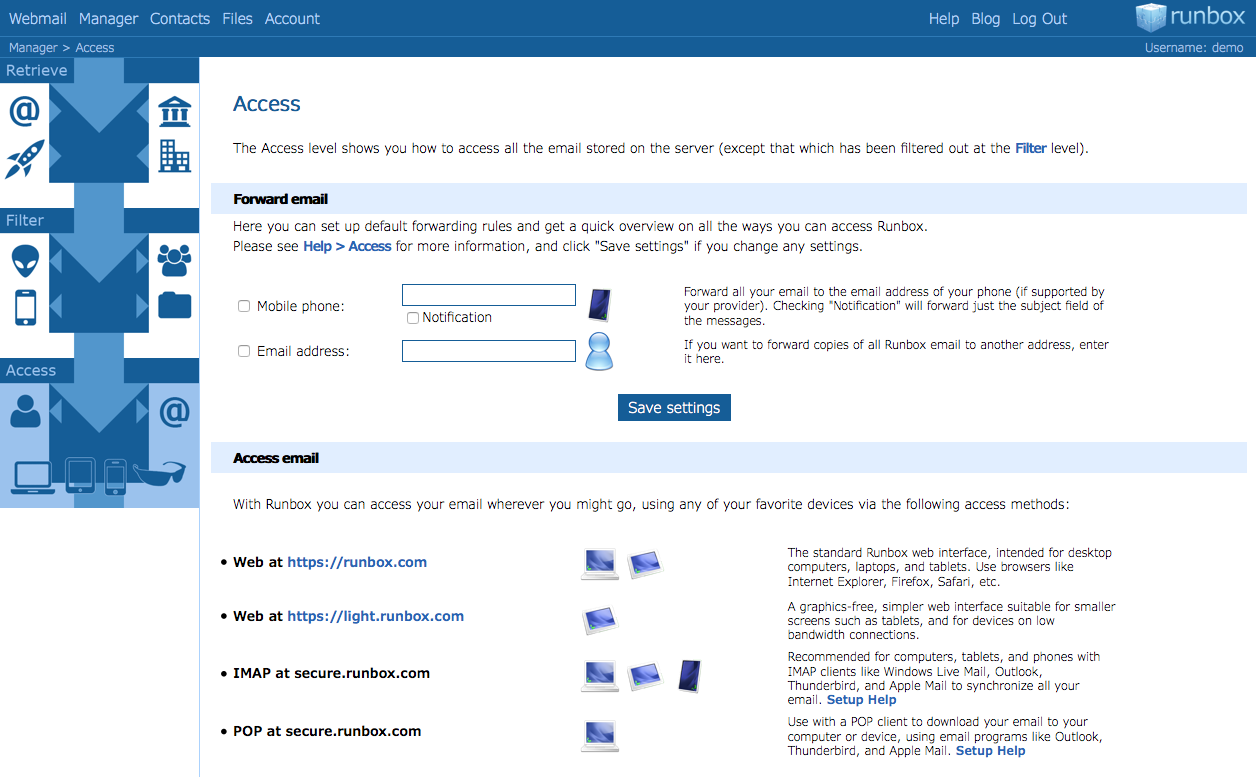
The Manager section lets you consolidate all your email into Runbox and control your email through an intuitive interface. Manager consists of 3 levels that your incoming email “fall” through: Retrieve can gather email from any external email account you might have, Filter sorts your email according to any criteria you desire, and Access shows you how to access your email on any Internet-enabled device.
Webmail
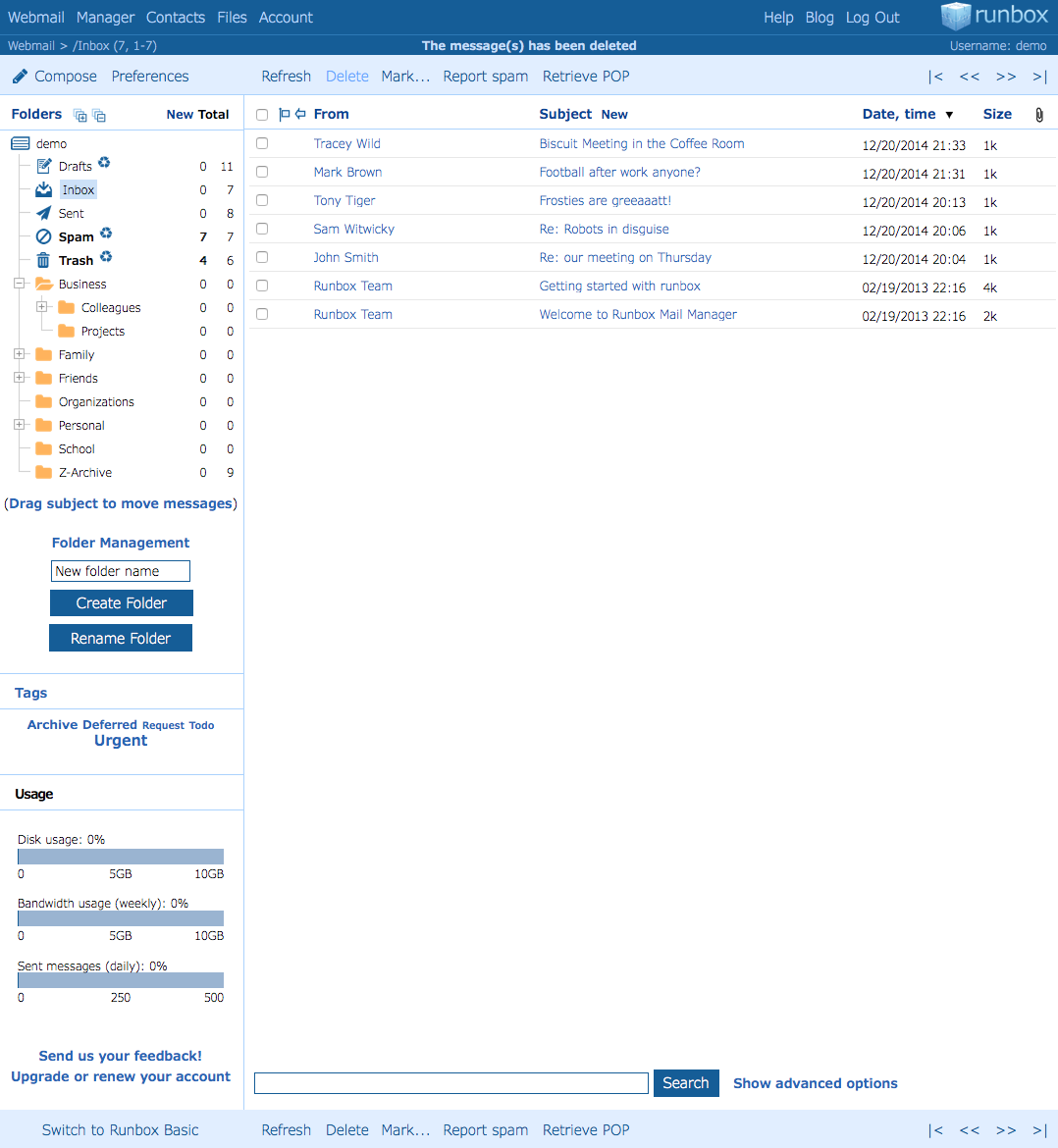
Runbox Webmail gives you fast and secure access to everything currently stored in your account on the server. Runbox’ feature-packed yet user-friendly Webmail makes it easy to organize your email in folders and keep track of all your messages.
Since Runbox lets you consolidate all your email in one place, you can organize messages for different aspects of your life in a folder hierarchy that can be as large or as small as you want.
Preferences
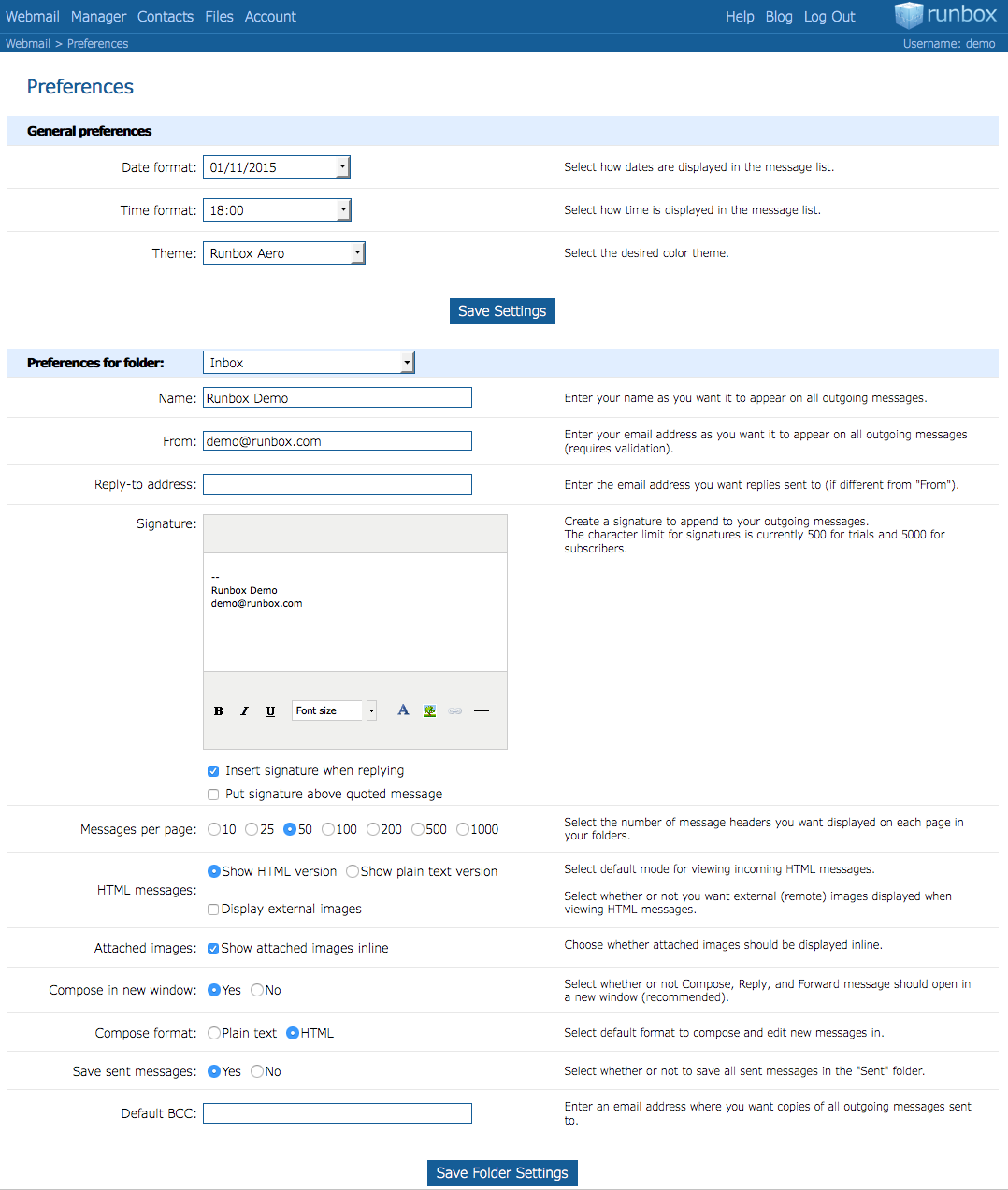
The Preferences section controls the settings for your Webmail, and you can have one set of Preferences for each folder. This gives you fine-grained control over the appearance of incoming and outgoing email and lets you manage multiple email personalities or profiles.
For instance, you can have one or more profiles for your business-related correspondance and associate these with the folders that contain your business email. Separate from these you can set up any number of profiles for personal, organizational, or other activities, and use them with other email folders.
Combined with Manager (described below) this becomes a powerful tool for organizing your digital communication — all in one place.
Manager
Manager is what gave Runbox Mail Manager its name, and is our own unique invention. With Manager you get an overview of how your email flows through the Runbox system, providing full control over how your email is processed at each step. With its powerful set of controls, Manager lets you easily consolidate email from any other email service, sort it just the way you want it, and access it anywhere, at any time.
In the intuitive Manager control panel, incoming email is consolidated and then “fall” through 3 levels, one beneath the other: Retrieve gathers email from other accounts, Filter sorts it to folders or other addresses, and Access shows you how to access the remaining email.
Please continue reading for details on each level of Manager.
Retrieve
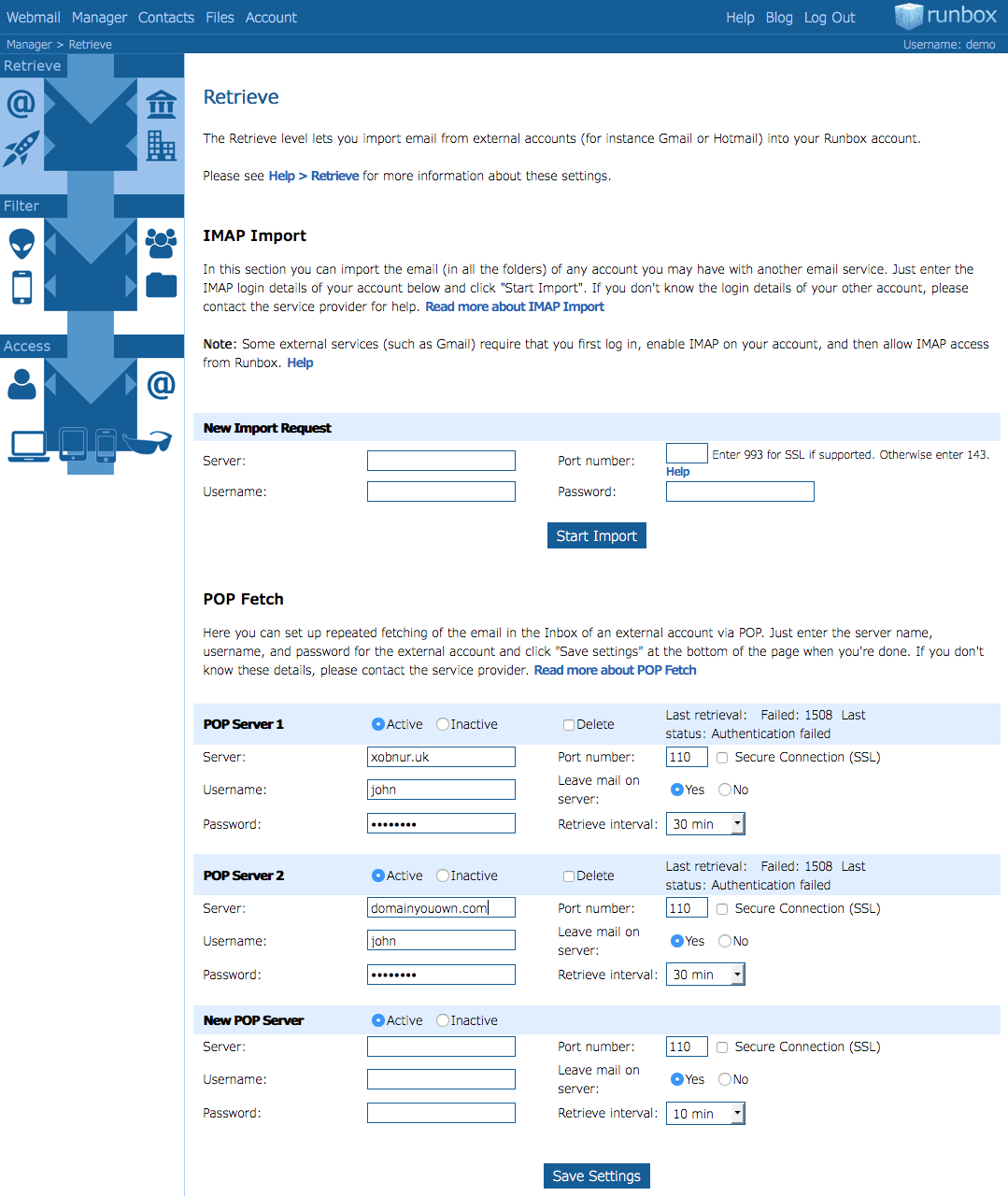
The Retrieve section lets you set up an unlimited number of POP retrieve entries that run in the background to fetch email from other accounts you may have with other providers.
For instance, you can retrieve email from your work-related email service, your school or college, or other, personal email accounts.
This means that you can collect all your email in one place and never have to log in to another email service again.
Filter
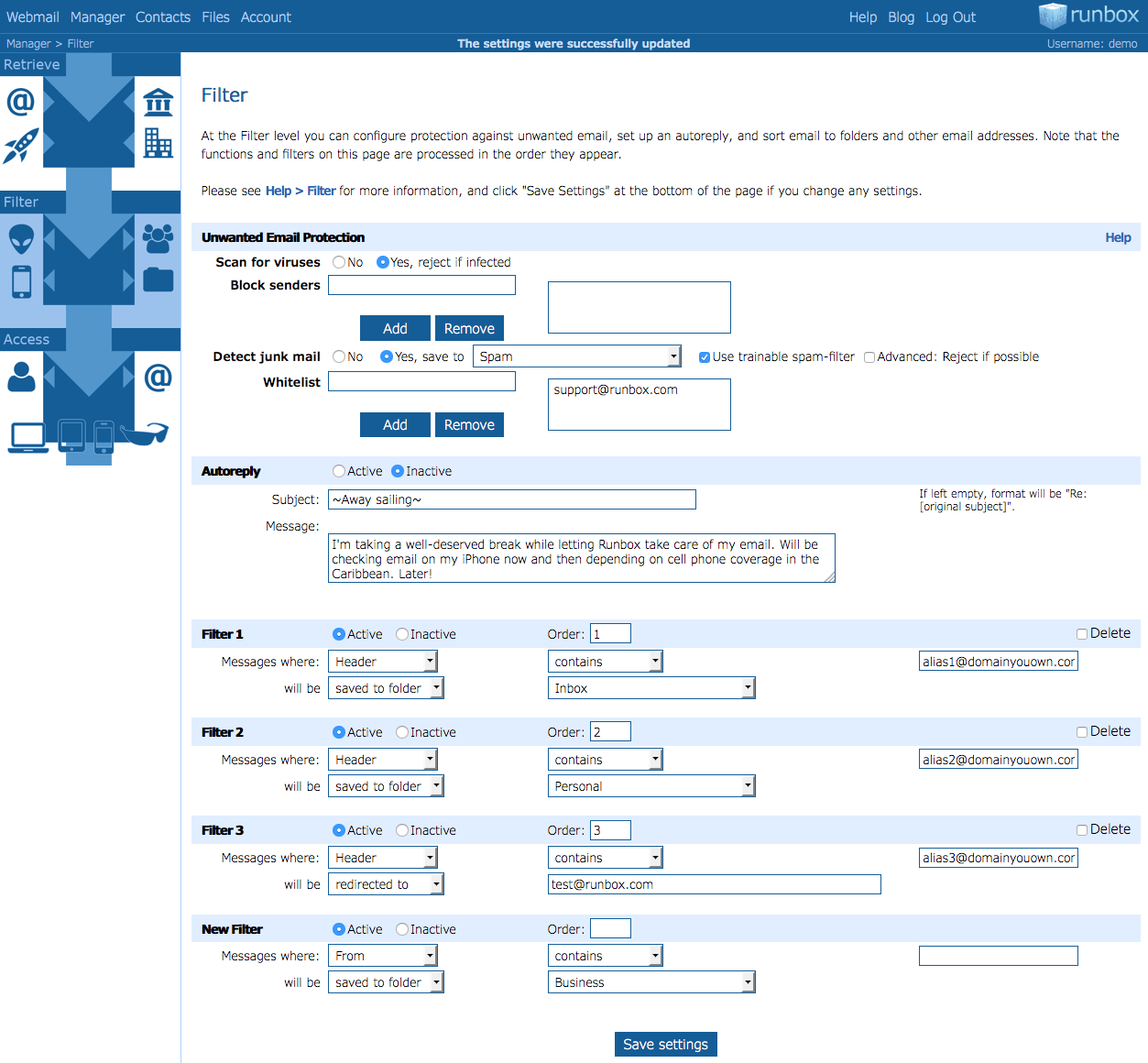
In the Filter section you can sort and forward your email any way you desire — the possibilities are virtually endless: Control virus and spam filter settings, block any unwanted email, set up a vacation reply, and last but not least set up any number of custom filters that process incoming email after criteria you define.
For instance, you could set up filters to match your business- or school-related email and sort these to their own folders with their own associated profiles. By automatically filtering incoming email according to different activities, your email life will become more organized and efficient than ever.
Access
The Access level shows you how and where to access your Runbox email, be it with a web browser, a smart phone, or an email client. Your Runbox email (and potentially, all your email) is accessible to you anywhere you might be, at any time.
Access also lets you set up default forwarding rules if you want your email to be copied to other addresses — providing full flexibility and redundancy in case you wish to keep backup copies of your email or access it via another service.
Discover the power of Runbox for yourself — try it now!